A practical framework for evaluating school panic button systems. Learn how to look for optimal network independence, power backup, and emergency readiness.
Inside this Article:
- What Do Emergency Communication Systems Depend on to Function?
- How Do Safety Leaders Make Defensible Decisions?
- How Should Schools Evaluate Panic Button Systems?
Choosing an emergency communication system for your school isn’t like selecting classroom software. The stakes are higher, the conditions are more unpredictable, and the decision will be scrutinized if something goes wrong.
School safety leaders face dozens of vendors making similar claims about speed, reliability, and ease of use. Most demonstrations happen under ideal conditions with full power, perfect Wi-Fi, and no stress. But emergencies don’t wait for ideal conditions.
Our framework helps you evaluate panic button systems based on what matters most. We want you to see the performance of your infrastructure when conditions are at their worst.
Start With the Functionality Question
Before comparing features or pricing, ask one question: What does this system depend on to function?
Every emergency communication system relies on some form of infrastructure. The question is whether that infrastructure will be available during the exact moments you need it most.
Software-only solutions typically depend on Wi-Fi networks, cellular connectivity, charged smartphones, and enabled notifications. Hardware-integrated systems may use dedicated radio networks, battery-powered devices, and building-wide alerting that doesn’t require personal devices.
Neither approach is inherently wrong, but the dependencies matter. Understanding what your system requires to work helps you evaluate whether those requirements are realistic during actual emergencies.
Five Critical Evaluation Questions
1. What Happens When the Network Fails?
Official reports from Parkland documented radio system overload during the emergency response. Network congestion is a clear, documented pattern during major incidents.
Ask vendors:
- Does your system require Wi-Fi, cellular networks, or both?
- What happens if building power affects network access points?
- Do you use an independent communication pathway as backup?
- How does the system perform when multiple users activate alerts simultaneously?
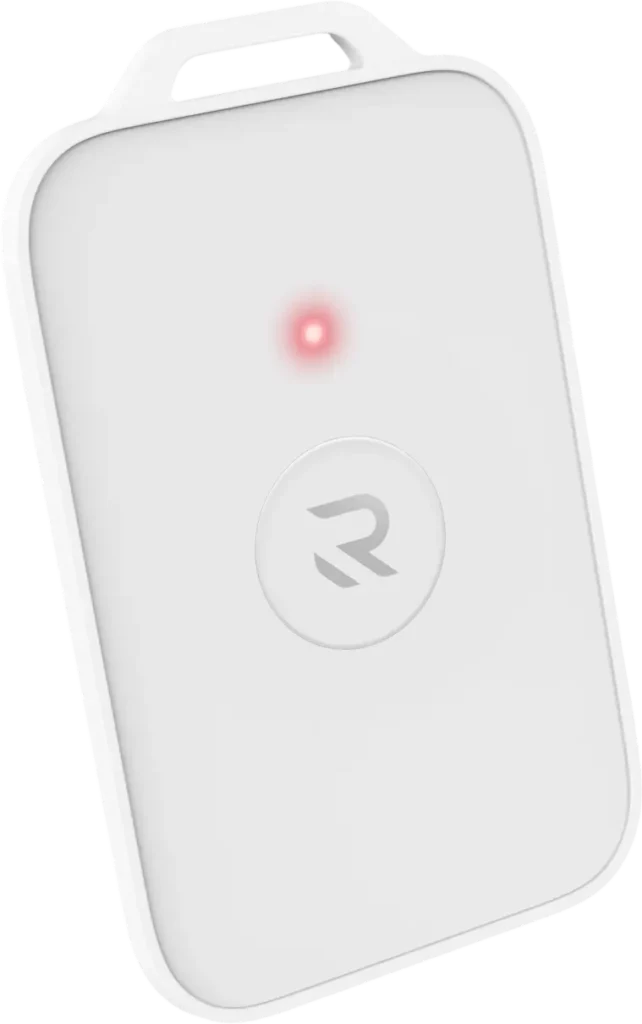
Systems that rely exclusively on shared infrastructure may struggle exactly when demand surges. Wearable panic buttons that use dedicated radio networks can bypass congestion that affects Wi-Fi and cellular systems.
2. What Happens When the Power Fails?
Power outages occur during weather events, accidents, and deliberate attacks on building systems. If your emergency communication depends on building power without backup, you may lose capability precisely when you need it.
Ask vendors:
- Do panic devices have onboard battery backup?
- How long can they operate without building power?
- What about network infrastructure like repeaters and base stations?
- Are there single points of failure where one power loss disables the entire system?
Infrastructure designed for emergencies should include battery backup at every critical layer, not just in the devices staff carry.
3. Does the System Reach Everyone in the Building?
Smartphone-based panic button apps only reach enrolled users with charged devices and enabled notifications. But emergencies affect everyone, including visitors, contractors, substitute teachers, and students who left phones in lockers.
Ask vendors:
- Does the system include building-wide alerting beyond mobile apps?
- Can it trigger visual alerts like strobes or audible alerts like PA announcements?
- What’s the actual adoption rate among staff?
- How do you handle coverage for people without enrolled devices?
A wearable emergency button might activate alerts on a teacher’s device, but true building-wide infrastructure should notify everyone in the facility regardless of device ownership.
4. How Simple Is Activation Under Stress?
NASA’s research on human performance under stress shows that cognitive capacity shrinks and fine motor skills deteriorate during emergencies. Complex interfaces that work fine during training may fail when people are frightened.
Ask vendors:
- How many steps are required to activate an emergency alert?
- Does it require unlocking a phone, finding an app, or entering codes?
- Is the activation device wearable and always accessible?
- Do you use the system regularly for drills to build muscle memory?
The simplest solution isn’t always the best. Still, simplicity under stress is a functional requirement grounded in human physiology. One-button wearable panic buttons reduce cognitive load when it matters most.
5. What Documentation Does the System Provide?
When boards, parents, or regulators ask about your preparedness, you need concrete evidence that systems were functional and staff were trained.
Ask vendors:
- Does the system log drill participation and testing records?
- Can you demonstrate device status at the time of an incident?
- What compliance documentation does it provide for regulations like Alyssa’s Law?
- How does it support after-action reporting?
Defensibility requires documentation that proves due diligence, not just claims that you had a system installed.
Beyond the Demo: Test in Your Environment
The best evaluation happens in your actual buildings with your actual staff. Request a pilot program to let you test coverage in basements, verify battery life claims, and see how staff respond to the interface under realistic conditions.
Don’t rely on vendor demonstrations in ideal conditions. Test during network congestion, simulate power loss, and run drills that reveal whether the system actually works the way it’s supposed to.
Making Defensible Decisions
The right panic button system for your school is the one that works everyday, but especially when conditions are at their worst. Focus your evaluation on infrastructure resilience, simplicity under stress, and documented readiness. This is the best way to prepare for any incident.
TL;DR: How Should Schools Evaluate Panic Button Systems?
What Infrastructure Questions Should You Ask?
When evaluating school panic button systems, focus on performance during degraded conditions:
- Network failures: Does the system work when Wi-Fi is down or cellular networks are congested?
- Power outages: Do devices and infrastructure have battery backup?
- Building-wide reach: Can the system alert everyone, not just enrolled app users?
- Stress simplicity: Is activation simple enough to work when cognitive capacity is impaired?
- Documentation: Does it provide testing logs and compliance records for defensibility?
What’s the Best Way to Evaluate?
Don’t rely on vendor demos in ideal conditions. Request pilot programs to test wearable panic buttons and emergency infrastructure in your actual buildings. Run drills that reveal real-world performance. Prioritize systems with network independence, battery backup, and simple activation that functions under extreme stress.
→ Test Emergency Infrastructure in Your Environment
Use this framework to evaluate Punch Rescue’s platform with our pilot program. This lets you test wearable panic buttons, verify coverage in your facilities, and see how the system performs under realistic conditions before committing to district-wide deployment. Contact sales for more information.