
Compare hardware-integrated and app-based panic button systems for schools. Learn the trade-offs in reliability, coverage, and emergency response performance.
School safety leaders evaluating emergency systems face a major choice between hardware-integrated infrastructure or app-based software solutions.
Both approaches have advocates. Both claim reliability. But they make very different assumptions about what reliable functionality means during an actual emergency.
Understanding the trade-offs helps you make defensible decisions based on your school’s specific needs, constraints, and risk tolerance.
What Are App-Based Panic Button Systems?
App-based panic button systems are appealing for clear reasons.
Fast deployment means no hardware installation is required. Users can download an app, create accounts, and be operational in days instead of weeks. Low upfront costs can also make software subscriptions less expensive than a lot of hardware infrastructure. Familiar interfaces mean staff already use smartphones daily with no new physical devices to manage or remember. Easy updates allow new features to roll out via app updates without any site visits or equipment replacements.
These advantages are real. But they also come with dependencies that may not be obvious during vendor demonstrations.
What Do App-Based Systems Require?
App-based systems need smartphone ownership and adoption. Every staff member needs a compatible device with the app installed, notifications enabled, and sufficient battery charge. Network connectivity is essential since apps depend on Wi-Fi or cellular networks to transmit emergency alerts. When networks congest or fail, app-based systems fail.
User behavior matters critically. Staff must unlock phones, open apps, and navigate interfaces under extreme stress when cognitive capacity is severely limited. Push notification delivery becomes a concern too, since Apple and Android documentation explicitly describes push notifications as “best effort” mechanisms without a guaranteed delivery timing. Individual device management further creates complexity. Every phone is a potential point of failure through dead batteries, disabled notifications, outdated app versions, or locked screens.
It is critical to ask, do these dependencies create acceptable risks during your school’s worst-case scenarios?
What Are Hardware-Integrated Panic Button Systems?
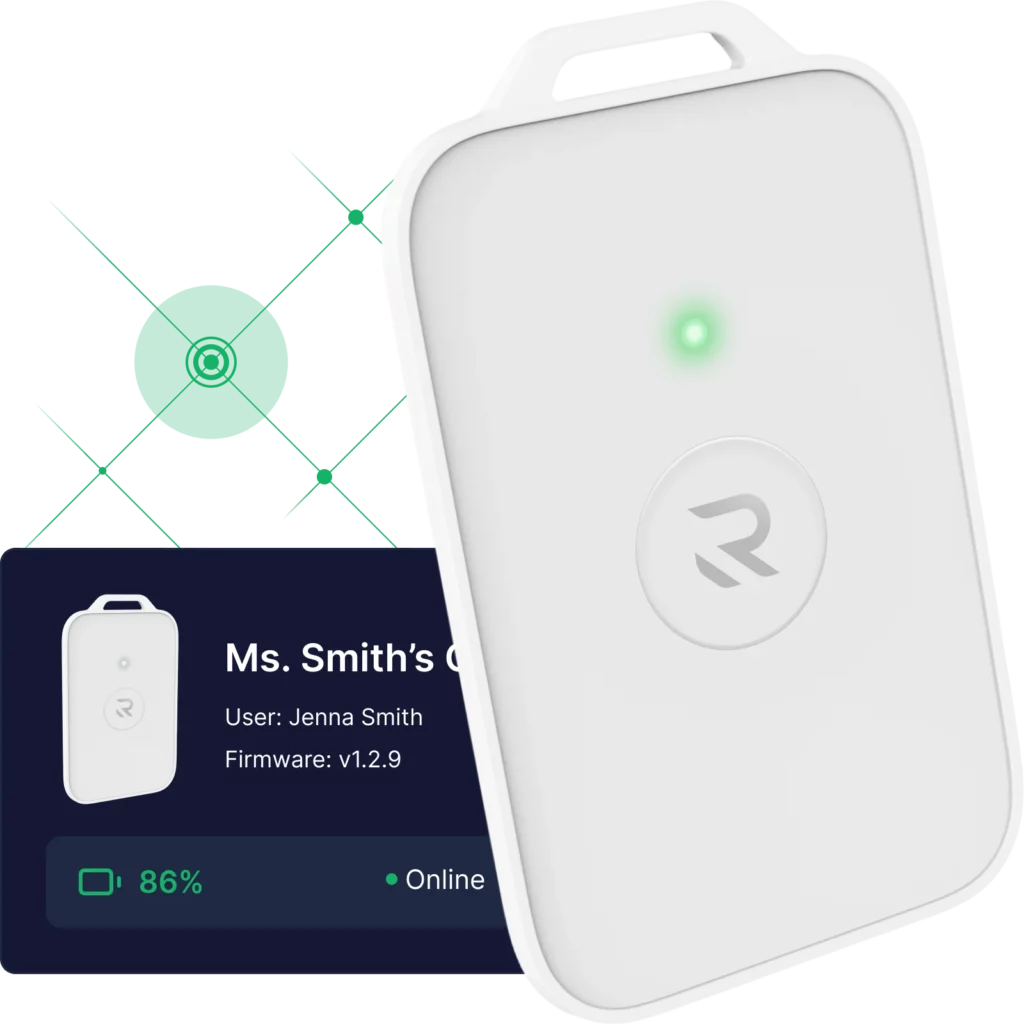
Hardware-integrated systems like wearable panic buttons operate on a different philosophy. They build dedicated emergency infrastructure that doesn’t rely on shared consumer networks or personal devices.
What Do Hardware-Integrated Systems Provide?
Network independence that’s established through dedicated radio networks creates communication pathways separate from congested Wi-Fi and cellular infrastructure. Battery backup throughout the system means each device includes power designed for extended operation during an outage. Building-wide reach enables visual and audible alerts to notify everyone in facilities (not just enrolled app users with charged devices).
One-button activation means physical panic buttons require no unlocking, app navigation, or menu selection under stress. Real-time visibility allows administrators to monitor device status continuously, receiving proactive alerts when devices go offline or need battery replacement.
This infrastructure requires an investment. Installation takes longer. There’s hardware to maintain. But it also addresses documented failure modes that app-based systems simply can’t.
What Do Hardware-Integrated Systems Cost?
There is a higher upfront investment required, compared to software subscriptions. This covers the price of the devices, the installation that’s coordinated with facilities teams, and the ongoing management of physical devices (including battery replacement). But do these costs buy the kind of reliability that matters during actual emergencies?
How Do Panic Button Systems Perform Under Emergency Conditions?
The real difference emerges when you test both types of systems under realistic emergency conditions.
During vendor demonstrations with full power, perfect Wi-Fi, and calm users, both approaches perform well. App-based systems send fast push notifications while hardware systems activate building-wide alerts. Everything works during ideal conditions.
When power fails though, networks congest. Staff are terrified, and infrastructure design matters critically. App-based systems face compounding failures…
- Wi-Fi access points lose power
- cellular networks experience congestion (as documented at Parkland and other incidents)
- staff fumble with phones and forget passwords
- push notifications delay or fail to deliver
- only enrolled users receive alerts while, visitors and substitutes get nothing
Hardware-integrated systems maintain function through battery backup. This keeps devices and infrastructure operational, as dedicated networks bypass Wi-Fi and cellular congestion. One-button activation also keeps working when fine motor skills deteriorate. Building-wide alerts reach everyone too, regardless of device ownership. Lastly, real-time monitoring shows which devices are functional before emergencies occur.
Should Schools Use Both Hardware and App-Based Systems?
Some schools use both approaches strategically by deploying hardware-integrated wearable emergency buttons for primary emergency activation. This provides reliable infrastructure that works during degraded conditions, while maintaining app-based systems for supplementary communication, mass notifications, and routine coordination (where network dependencies are acceptable).
This hybrid approach costs more. It also provides redundancy. When one system fails, the other continues functioning.
How Do K-12 Schools Choose Between Hardware and App-Based Panic Buttons?
Finding the right answer depends on an honest assessment of your risks, resources, and requirements.
If your priority is fast deployment and low initial cost, app-based systems may be appropriate. You just need a clear understanding of their network, power, and adoption dependencies. If your priority is infrastructure resilience during worst-case scenarios, hardware-integrated systems address documented failure modes that app-only approaches can’t. If your priority is maximum redundancy, a hybrid approach provides multiple independent pathways.
The key is making this decision based on realistic emergency conditions, not ideal demonstrations. Test both approaches in your basements, during network congestion, and with your staff under realistic pressure.
Keep in mind, it’s important to document your whole process thoroughly. Boards, regulators, and stakeholders will likely want to understand how you evaluated infrastructure resilience, not just the initial cost or deployment speed.
Contact our team today to discuss how Punch Rescue’s hardware-integrated infrastructure addresses the documented limitations of app-based systems.
TL;DR: Hardware vs. App-Based Panic Button Systems
What Do App-Based Systems Offer?
Fast deployment, low upfront cost, familiar smartphone interfaces, and easy updates make app-based systems appealing. However, they depend on smartphone ownership with installed apps and enabled notifications, Wi-Fi or cellular networks that can fail during emergencies, user behavior including unlocking phones and navigating apps under stress, unreliable push notifications, and individual device management creating coverage gaps.
What Do Hardware-Integrated Systems Provide?
Network independence through dedicated radio protocols, battery backup at every layer, building-wide alerting beyond enrolled users, one-button wearable panic button activation, and real-time device monitoring address documented failure modes. Trade-offs include higher upfront cost, installation coordination, and physical device management.
How Do They Perform Under Stress?
Both work during ideal conditions. During degraded conditions with power loss, network congestion, and extreme stress, app-based systems face Wi-Fi failure, cellular congestion, staff fumbling with devices, and delayed push notifications. Hardware-integrated systems maintain operation through battery backup, dedicated networks bypassing congestion, and simple activation working when motor skills deteriorate.