Rescue Intelligence gives an AI model eyes, hands, and guardrails across every system a facility already owns. It always does this safely, and with a record of everything it did.
Nine seconds. That’s how long it takes, in production, for a teacher to press a wearable panic button and for an AI-written summary of the nearest camera feed to land in the response team’s chat thread.
Here’s the actual trace from a live run against a Verkada camera system:
Step 1 verkada.get-thumbnail – 2.7s pull frame from nearest camera
Step 2 claude_agent.summarize – 5.6s describe what the camera sees
Step 3 rescue.post-summary – 0.49s post to the incident chat thread
─────
Total: 9.0s
There’s no need for someone to pull up a video wall and look over it. There’s no one narrating a feed over the radio. Instead, the professionals running toward the incident get a clear notice while they’re on the way (for example: “there is one adult on the floor of the east gym, two students nearby, and no visible weapon”).
This post is about the architecture behind that trace. It also covers why we think of it as a harness rather than a platform, an agent, or yet another AI safety product.
This is written for the engineers who might build upon it (at integrators, at districts, at health systems). If you spend your day in safety operations rather than AI tooling, the customer version of this story is simpler and can be found here. This is the one for people who want to better understand the wiring.
What Exactly is the Harness Idea?
If you use Claude Code, Cursor, or Codex, you already know that the model you’re working with isn’t the product. The product is everything wrapped around the model, including the tools it can call, the context it’s given, the credentials it borrows, and the rails that constrain what it’s allowed to do. The AI world calls that wrapper a harness.
If you don’t live in AI tooling, just know the harness is the part that turns a smart-but-blind model into something that can safely do things in the real world. It reaches the systems, takes action, and stays inside limits you set.
Software engineering got its harnesses years ago. Physical security has none. A typical facility runs cameras from one vendor, access control from another, phones from a third, and a panic button system from a fourth. The integrations between them are point-to-point rules at best. Meanwhile, the models that could reason across all of it keep getting better every few months, with no way to reach any of those systems.
That missing piece is what we set out to build. Rescue Intelligence gives a model eyes, hands, and guardrails across every system a facility already owns.
How Does the Architecture Function?
Four pieces do the work. For each, it’s worth being clear about how it works and what it buys the facility on the other end.
The Workflow Engine: Events enter through an API gateway, land on a queue, and execute as a series of steps on a serverless computer. A workflow is a directed graph. It starts with a trigger, followed by a chain of tool calls. The output of each step is made available to the next.
The engine is deliberately boring, too. Determinism lives here, intelligence lives one layer up. For a facility, this is what makes a response repeatable. The same press produces the same coordinated sequence every time, rather than relying upon a stressed operator to remember what to do.
The Connector Registry: Each integration is a connector. It’s a typed set of tools with schemas, so a workflow step or a model can call get-thumbnail or unlock-door without knowing anything vendor-specific.
Connectors are thin by design. They wrap an existing API rather than re-implementing a system, so our first Verkada connector went from zero to production in days, built by one forward-deployed engineer. For a facility, this is why “this works with what we already own” is a real answer and not a sales line. Adding a system you already run is a connector, not a rip-and-replace.
The Credential Vault: Every connector call executes with the customer’s own OAuth credentials, scoped and stored per site. The harness holds the keys. The model never sees them. This matters more in physical security than almost anywhere else, because the tools on the other end open doors and dial 911.
For a facility, this means the system works on your behalf without ever handing your keys to a model. A security architect can scope exactly what each site can reach.
The Agent Broker: When a step needs reasoning rather than a fixed API call, the broker hands it to a model along with the tools that step is allowed to use (and nothing else). Today the inner loop runs on managed agent infrastructure. The broker, however, is model-agnostic on purpose. Customers can bring their own key, or point us at a private model their compliance team controls.
For a facility, this is often the difference between a pilot and a pass. In healthcare especially, “the reasoning runs on a model we govern” can be a hard requirement rather than a preference.
What Happens When Something Fails?
A demo that only shows the happy results isn’t a safety system. It’s worth being direct about the unfortunate situations too. Connectors fail, model calls time out, and vendor APIs have bad days. The harness treats those realities as expected.
Because a workflow is an explicit graph of steps, each step has a defined boundary. There’s a timeout, a retry policy where a retry is safe, and a declared behavior when it ultimately can’t complete. A connector that can’t reach a camera doesn’t stall the doors or the notification. The steps that don’t depend on it still run, and the failure itself is recorded as part of the incident.
The same is true one layer up. If a model call is slow or unavailable, the deterministic actions a workflow is allowed to take on their own don’t wait on it. The design goal is that a partial system still produces a coordinated, documented response rather than silence.
What Part of the Harness Might People Underrate?
Most of the attention in AI goes to what models can do. In physical security, the harness earns its keep on the other side, with what the model is not allowed to do.
A coding agent that makes a bad call wastes your afternoon. A safety agent that makes a bad call locks a door during an evacuation. So the rails aren’t an afterthought. They’re the product. Every tool a model can touch is granted explicitly, per workflow. Consequential actions can require deterministic conditions rather than model judgment. And every step is logged with timings, inputs, and outputs. This is where that 9.0s trace at the top of this post comes from. When something happens at a school, finding what the system did and why cannot be a research project. It has to be a record you can pull up in the room.
So What Did We Deliberately Avoid Designing?
We are not a model company, and we’re not trying to become one. We didn’t build a foundation model, and we don’t compete with the AI perception companies doing world-class work on what cameras see. That’s a deliberate boundary and the strategic point of the whole design.
Better models make the harness more valuable, not less. A perception company’s output is just another trigger. Their models are candidates for our broker. Because the broker is model-agnostic, an advance somewhere else in the AI world tends to show up as a customer-visible improvement without us rebuilding anything. We’d rather be the layer where those advances land than one more group trying to win the model race.
Why On Earth Did A Panic Button Company Build This?
Fair question. The short answer is that we were forced to, in the best way.
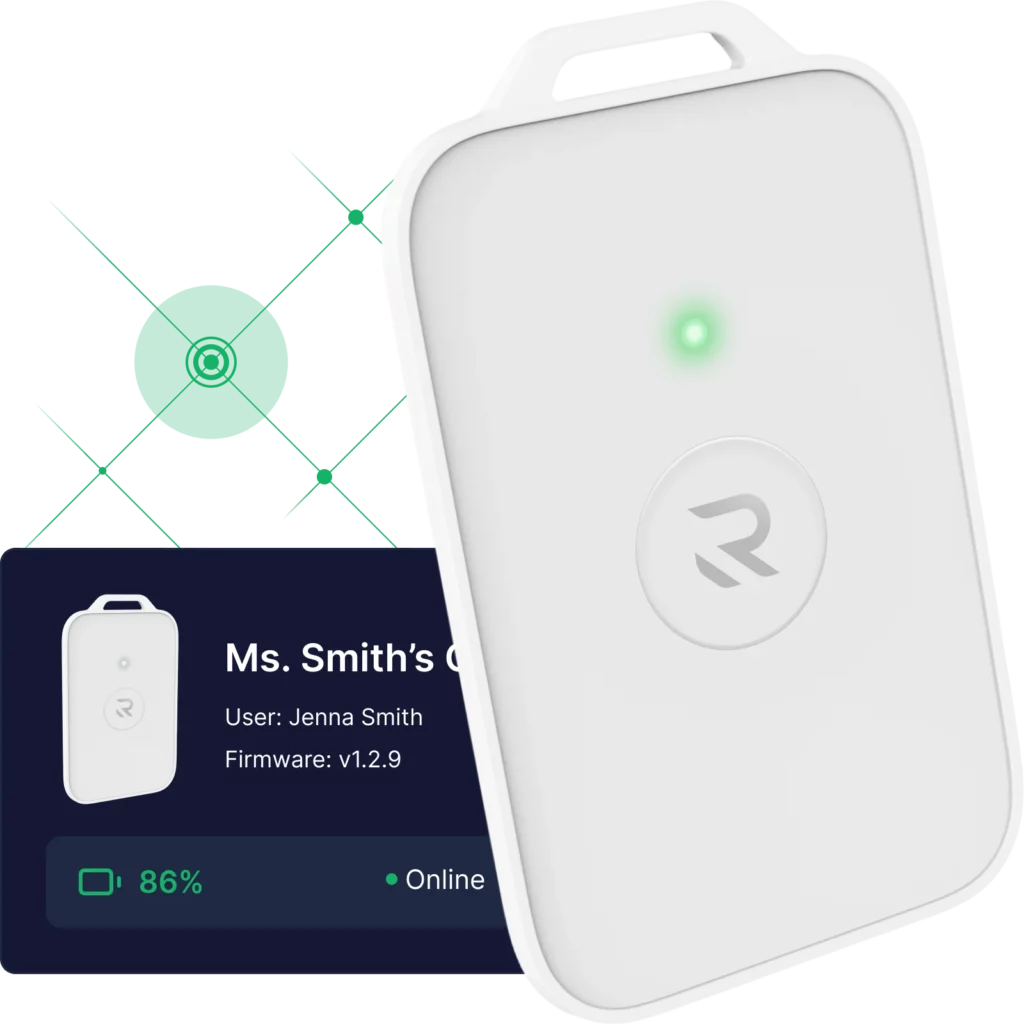
Our wearable Rescue Card exists because state laws (Alyssa’s Law) now require silent panic alarms in schools. A button press is the highest-stakes event a building produces. The moment it fires, every other system suddenly matters. This includes which camera is nearest, which doors should lock, and who needs to know what. We kept hand-building those integrations for customers until the pattern was obvious. The button needed a harness. Once the harness existed, it didn’t care whether the trigger was our button, a camera analytic, or a weather alert.
What’s Next for System Engineers?
The connector registry is growing, the workflow templates are moving toward a public library, and the Rescue API plus an MCP server are opening up. This means you can build on the harness rather than wait for us. If you’re an engineer at an integrator, a district, or a health system and you want to wire your systems into this, we want to talk.
And if you’d rather see it than read about it, ask for the live drill. We’ll show you it in action.
TL;DR: How Does Rescue Intelligence’s AI Harness Work?
The harness is the architecture that lets an AI model safely reach a facility’s real systems. It’s four pieces working together, including a workflow engine, a connector registry, a credential vault, and an agent broker.
- In production, a wearable panic button press turns into an AI-written camera summary landing in the response chat in 9 seconds. It pulls the frame (2.7s), describes it (5.6s), and posts it (0.49s). Each step is defined and logged in a workflow.
- The harness holds the keys. Every connector call runs on the customer’s own scoped credentials, so the AI never touches the keys that open doors or dial 911. Consequential actions can require deterministic conditions instead of model judgment.