
Why battery backup matters for school panic buttons and emergency systems. Learn what happens when power fails and how to evaluate power resilience claims.
When demoing technology, there’s one question most school safety leaders never think to ask… “Can you unplug that and show me if it still works?”
This can be an uncomfortable question to ask. It disrupts a vendor’s polished presentation. But it’s also the most important thing you can ask about emergency communication systems. When you actually need your wearable panic buttons to work, there’s a very real chance your building’s power won’t always be available.
Why Do Panic Button Systems Depend on Building Power?
Most emergency communication systems depend on building electricity at multiple invisible points. Your smartphone panic button app needs:
- charged phones
- powered Wi-Fi access points
- network switches with electricity
- routers with connectivity
- functioning cloud servers
If any single link fails, the whole chain fails.
Schools assume their backup generators solve this problem. Generators typically prioritize HVAC, lighting, and emergency exits though. Network infrastructure often comes much later.
During power loss, Wi-Fi access points throughout your building go dark. Staff try to activate panic button apps, but there’s no network connectivity. The apps show “connecting” or “no signal” while staff wait for help that can’t be summoned.
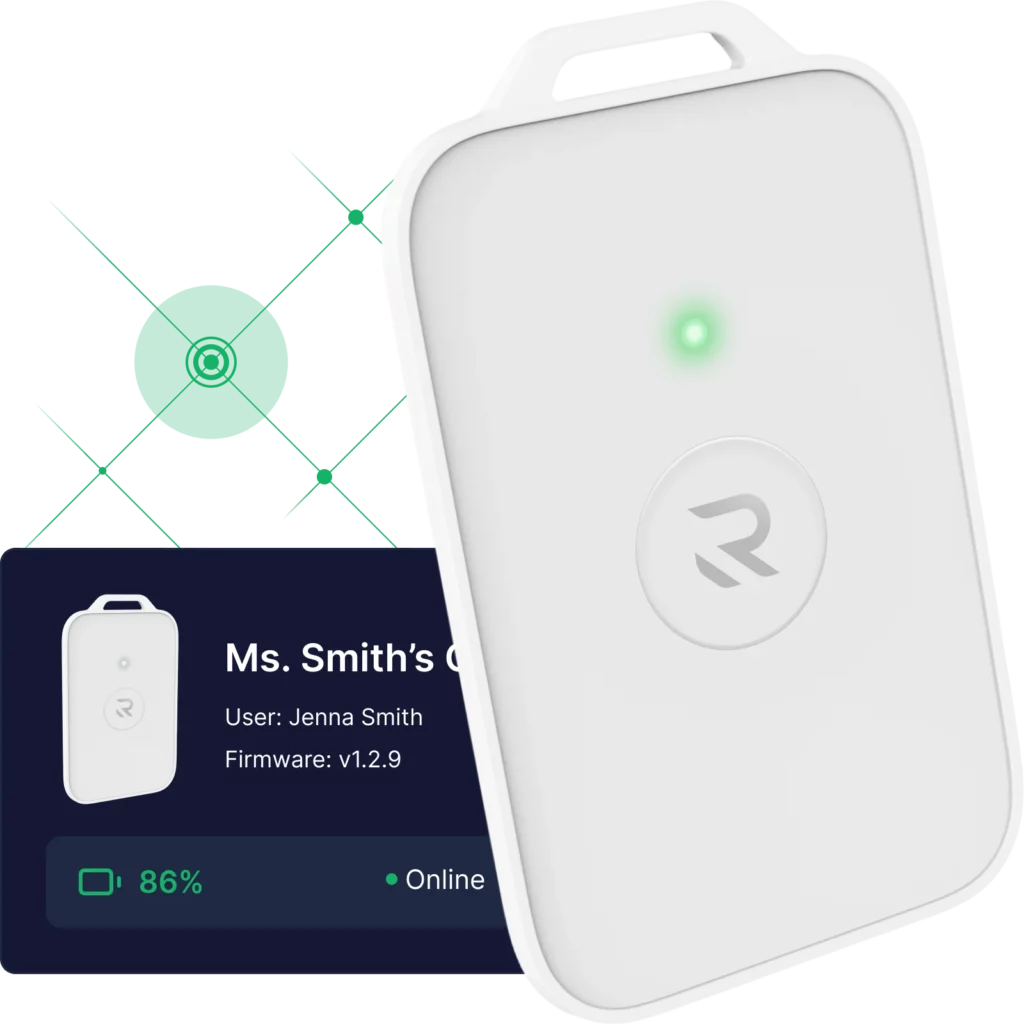
Meanwhile, the wearable emergency buttons that were supposed to provide an extra layer of safety are useless. There’s no powered infrastructure to relay their signals.
Why Do Power Outages Happen During School Emergencies?
Power outages don’t happen during convenient moments. They happen during the exact conditions that create emergencies.
Weather events that require evacuations cause power loss. Equipment failures that trigger fire alarms affect electrical systems. The storm that damages your building also knocks out your electricity.
After-action reports from emergency response investigations document this pattern repeatedly. Emergency conditions create infrastructure failures that disable communication systems designed only for normal operations.
Your panic button system works perfectly during Tuesday afternoon drills when everything’s running smoothly. Is that the case still when the actual emergency happens, and half your building has no power?
What Does Battery Backup Mean for Wearable Panic Buttons?
Many vendors claim to offer battery backup without specifying what that actually means.
- Does battery backup exist in the wearable panic button itself? Great, but meaningless if the Wi-Fi access points relaying those signals have no power.
- Does battery backup exist in your network switches? Excellent, but how long does it last? Thirty minutes? Two hours? Eight hours?
- When was the last time someone verified those batteries actually work?
Batteries degrade over time. A new system with “8 hours of backup” might later provide only 4 hours of backup in two years. Without proactive monitoring, this degradation stays hidden until an emergency exposes it.
What Does Power Resilience Look Like?
Maintaining resilient power means your emergency communication systems continue working when your building’s electricity fails. That is, for as long as the emergency lasts.
This requires battery backup at every critical layer. You need it in the wearable emergency buttons staff carry, in the infrastructure throughout buildings coordinating emergency response, and in redundant pathways for external connectivity.
This also requires visibility. Can your administrators see the battery status for every device right now? Do they receive alerts when batteries need replacement, before emergencies expose dead batteries?
This further requires testing. Has anyone actually disconnected building power and verified your system keeps working? You need more than a vendor demo with perfect conditions. You need on-the-ground testing in your unique buildings with realistic emergency use patterns.
How Do You Verify Emergency System Battery Backup?
When boards, regulators, or legal teams ask whether your emergency system was functional during an incident, can you prove it?
If the answer depends on whether building power was available, and you don’t have visibility into battery status or power conditions at that specific moment, defensibility becomes impossible.
Power resilience isn’t a luxury feature. It’s a basic requirement for any system claiming to support emergency response. And it’s the best way to protect your students and staff when conditions degrade.
TL;DR: Why Battery Backup Matters for School Safety
What’s the Hidden Problem?
Most panic button systems depend on building power at multiple invisible points. Wi-Fi access points, network switches, routers, and cloud connectivity all need electricity. When power fails during emergencies, emergency communication fails precisely when it’s needed most.
Why Don’t Backup Generators Solve This?
Generators prioritize HVAC, lighting, and exits, not network infrastructure. Even where backup power exists, coverage is often incomplete. Wi-Fi access points in classrooms may lose power while the main office stays connected. Batteries degrade over time without proactive monitoring, reducing backup duration too.
What Does Real Power Resilience Look Like?
Maintaining resilient power is possible when you have wearable panic buttons with long-life batteries, repeater infrastructure with extended backup duration, base stations with multiple redundant connectivity pathways, real-time battery monitoring and proactive replacement alerts, and verification testing to prove systems work during outages.
Want Our Complete Technical Analysis?
This article covers the basics of power resilience in school emergency systems. For comprehensive technical guidance, download our complete white paper.
Download: “Battery Backup and Power Resilience in School Safety Systems”
You’ll get:
- Detailed analysis of power dependency failure modes
- Four levels of battery backup architecture explained
- Real-world performance requirements and testing protocols
- Eight critical questions to ask every vendor
- Implementation guidance for power-resilient infrastructure
- Technical specifications and verification procedures
Stop accepting vendor promises about battery backup. Start verifying power resilience through systematic testing.