The command center that connects the cameras, doors, phones, and sensors you already own. Now, one emergency receives a single, coordinated response.
Walk into almost any school, hospital, or plant today and you’ll find good safety technology. Cameras from one vendor. Access control from another. Phones from a third. A panic button from a fourth. Every piece does its job.
The only problem is that all these different tools don’t talk to each other.
Your cameras don’t talk to your doors. Your doors don’t talk to your phones. And none of them talk to the professionals who have to act when something goes wrong.
When a moment turns serious, your team doesn’t get to respond right away. First they have to assemble the picture (pulling up the camera, figuring out which doors, finding the map, and calling the right people). They’re stuck using one tool at a time, under pressure, while the clock is running.
That less-than-ideal situation has always been treated as normal. We don’t think it should be.
An Introduction: What Is Rescue Intelligence?
Rescue Intelligence is the command center for physical safety. It connects the safety and security systems you already own, giving you one place to see everything. Now, when an incident happens, the response is coordinated across those systems automatically. Your team is given a greater sense of agency in handling emergencies in the process.
Think of Rescue Intelligence as the command center that makes your safety infrastructure behave like one unified system (instead of a pile of parts). It removes the need to watch multiple screens as you assess a situation, and avoids giving you another reason to remove and replace a vendor you rely upon. It simply provides you with the connective tissue that your tools have been missing.
How Does Rescue Intelligence Work?
Rescue Intelligence does three things, in order.
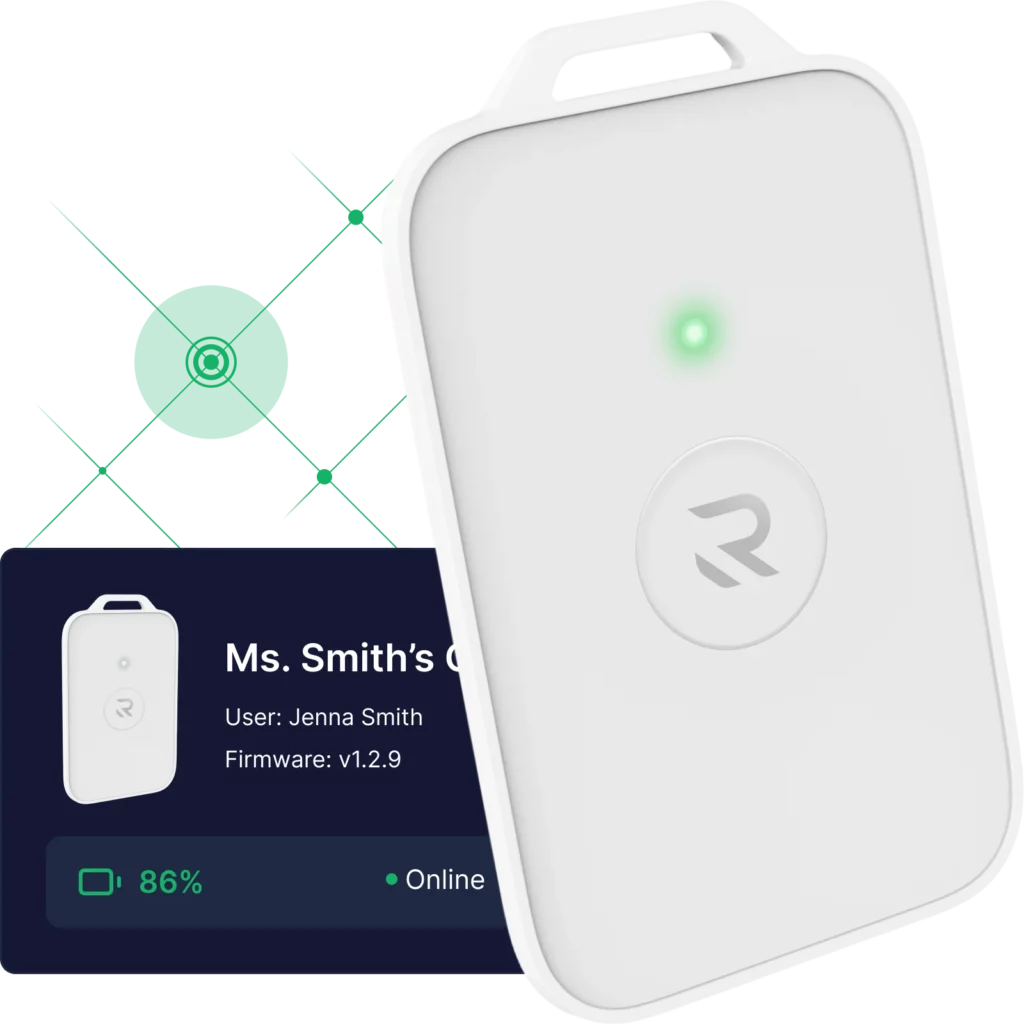
It Senses: It takes in what’s happening across your environment, from a Rescue Card press, a camera analytic, a door event, a sensor reading, or a weather alert. For the first time, systems that were blind to each other share a single awareness.
It Interprets: It reads what’s coming in, in real time, and understands what’s going on. It deciphers the information, working from the rules you’ve already approved. Every step is logged too. It works ahead of your team, setting them up for success with the decisions they have yet to make.
It Responds: When a moment calls for it, the right things are set in motion together within seconds (instead of your team assembling all the tasks that still need initiated).
How Does A Coordinated Response Unfold?
When an emergency happens, Rescue Intelligence goes to work right away. Behind the scenes, this is Workflows, the automated engine that runs a defined chain of triggers, conditions, and actions across your connected systems, the same way every time. In one coordinated motion it:
- Pulls up the nearest camera feed (for supported video platforms) so you can see the scene immediately.
- Locks or unlocks the right doors to shape what happens next.
- Drops the incident onto your indoor map so everyone knows exactly where.
- Notifies the right responders (the specific people who need to act), rather than sending a mass alert.
- Compiles an After Action Report automatically. This gives you a complete, timestamped record of what happened and what your system accomplished.
Five things that used to take five tools and precious minutes are now all handled together by Workflows, every time. Your team gives its time and attention to the response, instead of gathering information.
That matters a lot, long after the incident passes. Every event is fully documented in an After Action Report, providing the kind of record safety leaders are increasingly asked to produce.
Does Rescue Intelligence Assist with Everyday Issues?
Most days don’t involve an emergency, and Rescue Intelligence earns its place on those days too. When you just need an answer, or need something done, you can always ask for it.
“Which devices are offline?” “What happened during last week’s drill?” “Is the east wing covered right now?”
Ask Rescue gives you a straight answer, in plain language, without requiring you to dig through four systems to piece it together. And it doesn’t stop at answering. Ask Rescue can reach into your connected systems, perform authorized actions, and make real-time changes right from the dashboard. A task like “lock down the east wing” gets handled the same way as “is the east wing covered right now?”
Behind it, AI Insights & Data does the heavier analytical lifting, pulling information from across your connected systems. This means you can surface trends, generate reports, and get answers that used to mean digging through four separate dashboards on your own. That’s the kind of everyday visibility and control that keeps you continuously ready.
Will Rescue Intelligence Work with What You Already Own?
This is the part we want to be clear about. Rescue Intelligence doesn’t replace your systems. It connects them.
Keep your cameras, your access control, your phones, your panic buttons, Verkada and Avigilon, GoTo and Zoom, Slack, and more. Rescue Intelligence ties them all together so they cover for each other and finally work as one. This means you get more out of the investments you’ve already made.
Can You Integrate Rescue Intelligence With Your Tools?
Under the hood, that connection work runs through Connectors. This is a typed integration layer that lets each system you already run exchange data, trigger actions, and take part in your Workflows, without a custom integration project. Rescue Intelligence also ships with predefined Agents you can configure with specific instructions and tools to carry out defined tasks inside a workflow. You can also connect agents of your own. And if your team wants to build something custom, Rescue Intelligence opens up through MCP support, APIs, and webhooks, so you can extend it however your environment needs.
You can adopt Rescue Intelligence on its own, connecting and coordinating the systems you have in your building. Or you can run it as part of the Punch Rescue Platform, where it’s the command center that ties your hardware, mapping, alerting, and everything else together.
Either way, everything you’re working with now becomes one platform. And what you see scales with what you own.
Why Are We Releasing Rescue Intelligence Now?
Everyone in your building already carries something, be it a badge, an ID card, or a phone. We believe these things should be designed to effectively keep people safe. And we believe there should be a strong connection across all of a facility’s safety systems, rather than a dozen silos that can’t communicate with each other.
Underneath Rescue Intelligence is an AI harness. This is the framework that lets agents, workflows, integrations, permissions, and oversight all work together within rules you set. It’s what gives a model eyes, hands, and guardrails across the systems you already run, instead of a black box making decisions on your behalf.
Rescue Intelligence is our effort to build toward that vision today, with an excellent product for the customers who need it. It’s our everyday visibility-and-crisis-coordination technology, working quietly behind the scenes every day. And it’s ready to coordinate responses when it counts most.
That’s what Punch Rescue is about, working when it matters. It’s for the moments of crisis, and everything in between.
What Does Getting Started Look Like?
If you’d like to see Rescue Intelligence in operation, we’d love to show you. See a live demo, or talk to us about a pilot run. We’ll walk through your environment and show you what connecting it could look like.
TL;DR: What Is Rescue Intelligence and Why Does It Matter?
Rescue Intelligence connects the cameras, doors, phones, and sensors you already own into one coordinated system. One emergency now triggers a single, automatic response (instead of a scramble across disconnected tools).
- When an incident happens, Rescue Intelligence pulls up the nearest camera feed (for supported video platforms), locks or unlocks the right doors, drops the incident on your map, and notifies the specific responders who need to act. This is all within seconds, without requiring your team to assemble each step by hand.
- It works with what you already own. Rescue Intelligence doesn’t replace your cameras, access control, or panic buttons. It connects them (Verkada, Avigilon, GoTo, Zoom, Slack, and more) either on its own or as part of the Punch Rescue Platform.